

Send Observations From Your Application
To track how your applications are using data, you need to send observations to Arcbeam using an API key.Create API Key
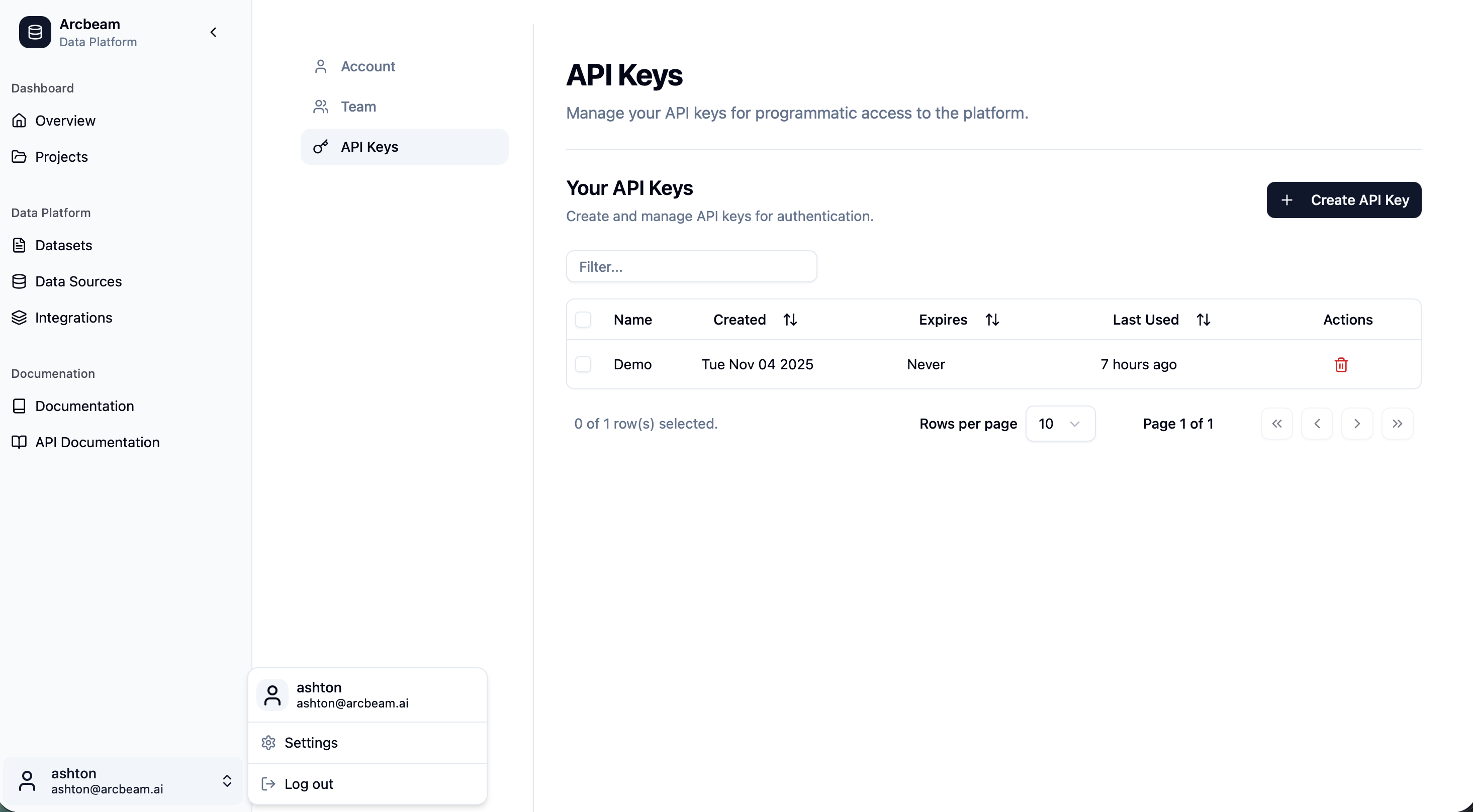
Before you can send observations, you need to generate an API key:- Navigate to the settings page by clicking on the User icon on the top right of the screen
- Click on the API Keys menu item on the left hand side
- Generate an API key from the Create API Key button
Installation
To capture usage, your application can use our LangChain connector to send data to the Arcbeam API whenever a query is processed.Minimal Python Helper
Here’s a basic example of how to use the connector:Replace
YOUR_ARCBEAM_URL with your Arcbeam deployment URL (e.g., http://localhost:3000) and YOUR_ARCBEAM_API_KEY with the API key you generated.View Results in the UI
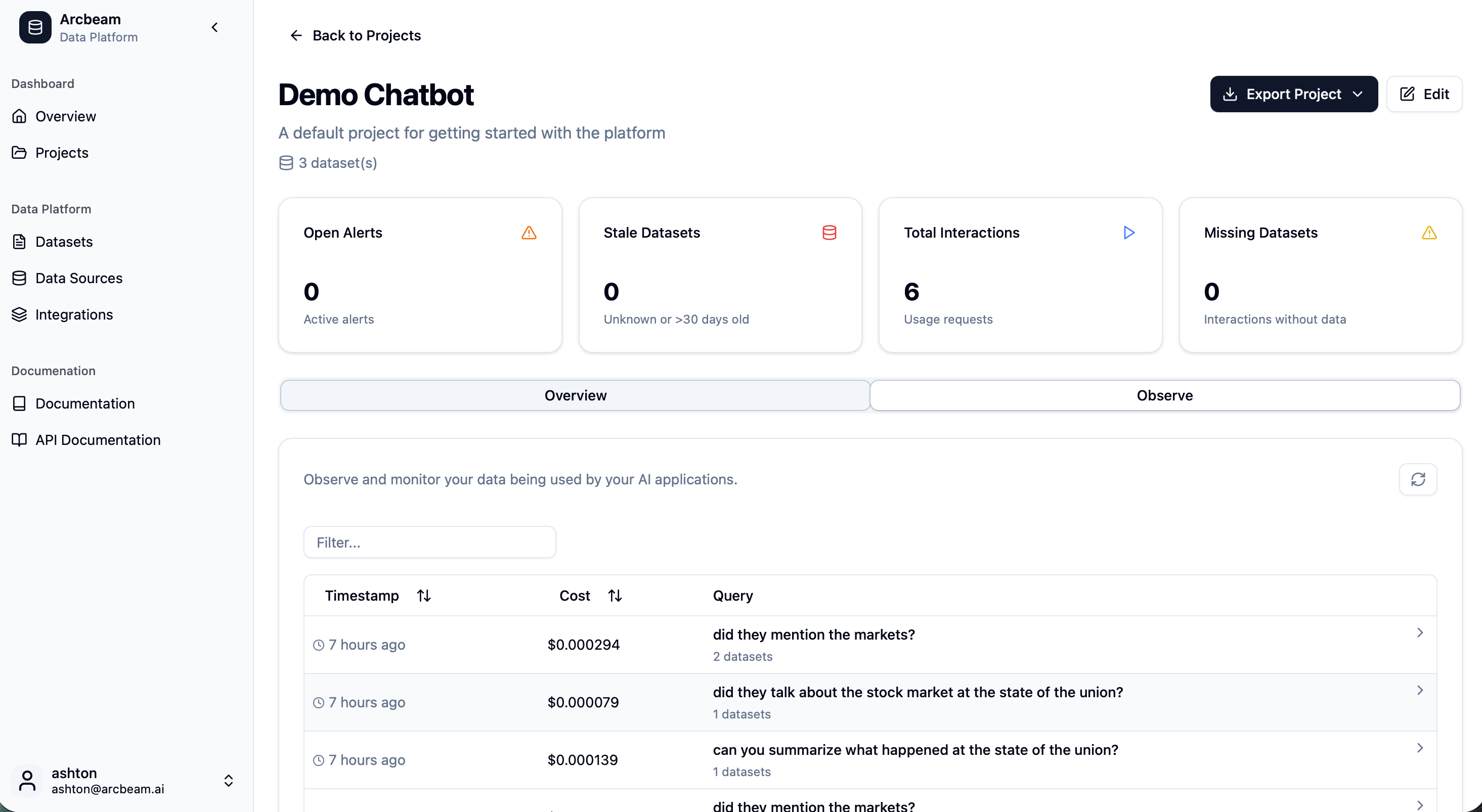
Return to the Projects page and select your project. You’ll see each query recorded along with:- Retrieved chunks
- Model used
- Input and output text
Next Steps
- Configure projects to organize your monitoring and apply policies
- Review observations and refine how your datasets are used