This guide will get you up and running with Arcbeam in minutes. You’ll install the connector, send your first trace, and see it in the dashboard.

Prerequisites

Before you begin, make sure you have:
  • An Arcbeam account
  • Python 3.9+
  • OpenAI API key (for this example)

Step 1: Get Your API Key

1

Log in to Arcbeam

Navigate to platform.arcbeam.ai and sign in with your account.
2

Create an API key

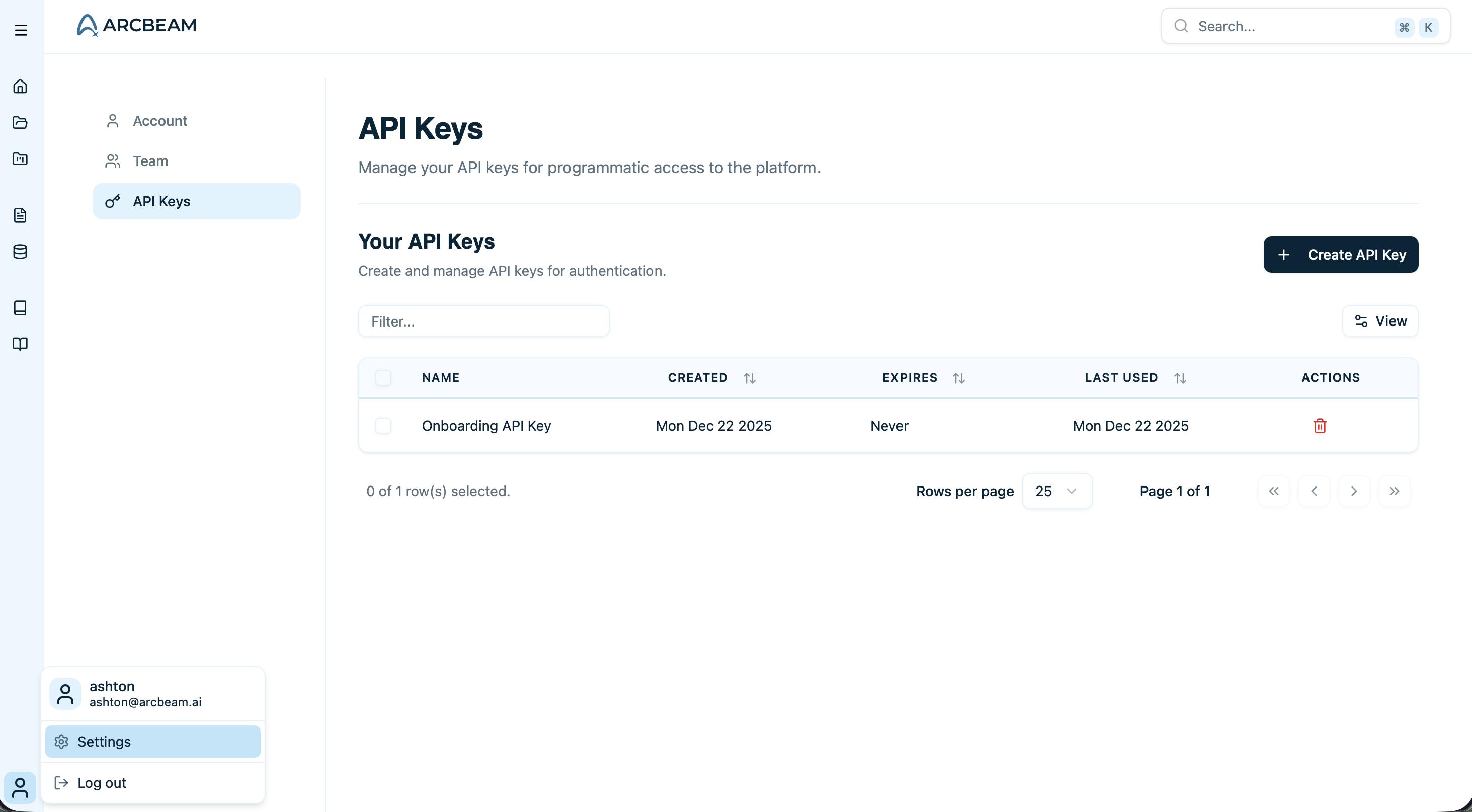
Go to Settings → API Keys and click “Create New Key”. Give it a descriptive name like “Development Key”.
API Keys settings page showing the create new key button
3

Copy your API key

Copy the API key and store it securely. You’ll need it in the next step.
API keys are only shown once. If you lose it, you’ll need to create a new one.
Store your API key in a secure password manager or environment variable manager like 1Password or Doppler.

Step 2: Install the Arcbeam Connector

pip install arcbeam-connector langchain-openai

Step 3: Create Your First Traced Application

Create a simple LangChain agent that uses Arcbeam tracing:
from langchain.agents import create_agent
from langchain_openai import ChatOpenAI
from arcbeam_connector.langchain.connector import ArcbeamLangConnector

# Initialize the Arcbeam connector
connector = ArcbeamLangConnector(
    base_url="http://platform.arcbeam.ai",  # Or your self-hosted URL
    api_key="your-api-key-here",  # Your Arcbeam API key
)
connector.init()

# Create your model
model = ChatOpenAI(model="gpt-4o-mini")

# Define a simple tool
def get_weather(city: str) -> str:
    """Get weather for a given city."""
    return f"It's always sunny in {city}!"

# Create the agent with your tools
agent = create_agent(
    model=model,
    tools=[get_weather],
    system_prompt="You are a helpful assistant",
)

# Run the agent - this will be automatically traced!
result = agent.invoke(
    {"messages": [{"role": "user", "content": "what is the weather in sf"}]},
    config={"callbacks": []}
)
print(result["messages"][-1].content)
Make sure to set your OPENAI_API_KEY environment variable before running this code.
The connector automatically captures all LangChain operations without requiring you to modify your existing code beyond the initialization.

Step 4: Run Your Application

Save the code to a file and run it:
export OPENAI_API_KEY=your-openai-key
python your_app.py
You should see the agent’s response in your terminal, something like: “It’s always sunny in San Francisco!”

Step 5: View Your Trace in Arcbeam

1

Navigate to Projects

Go back to Arcbeam and click on “Projects” in the sidebar.
2

Select Default Project

Click on the Default Project.
3

Find your trace

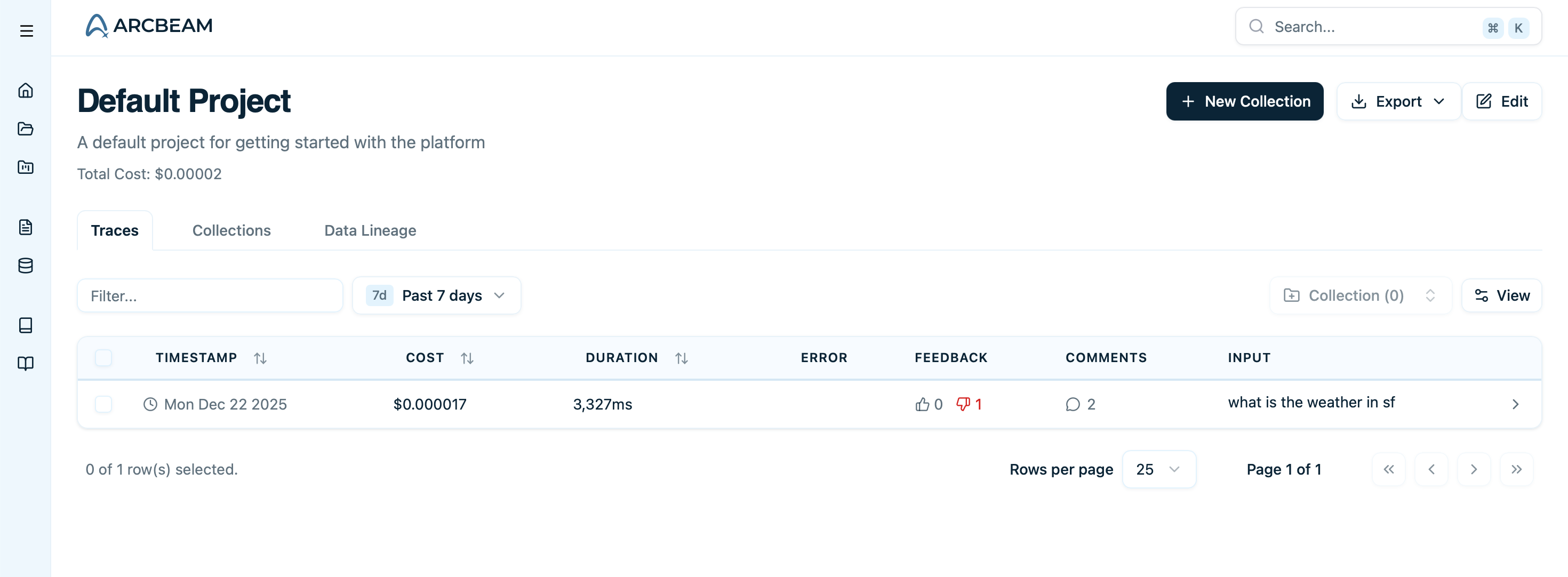
You’ll see your trace in the list. Click on it to view the details.
Default project page showing a list of traces
4

Explore the trace

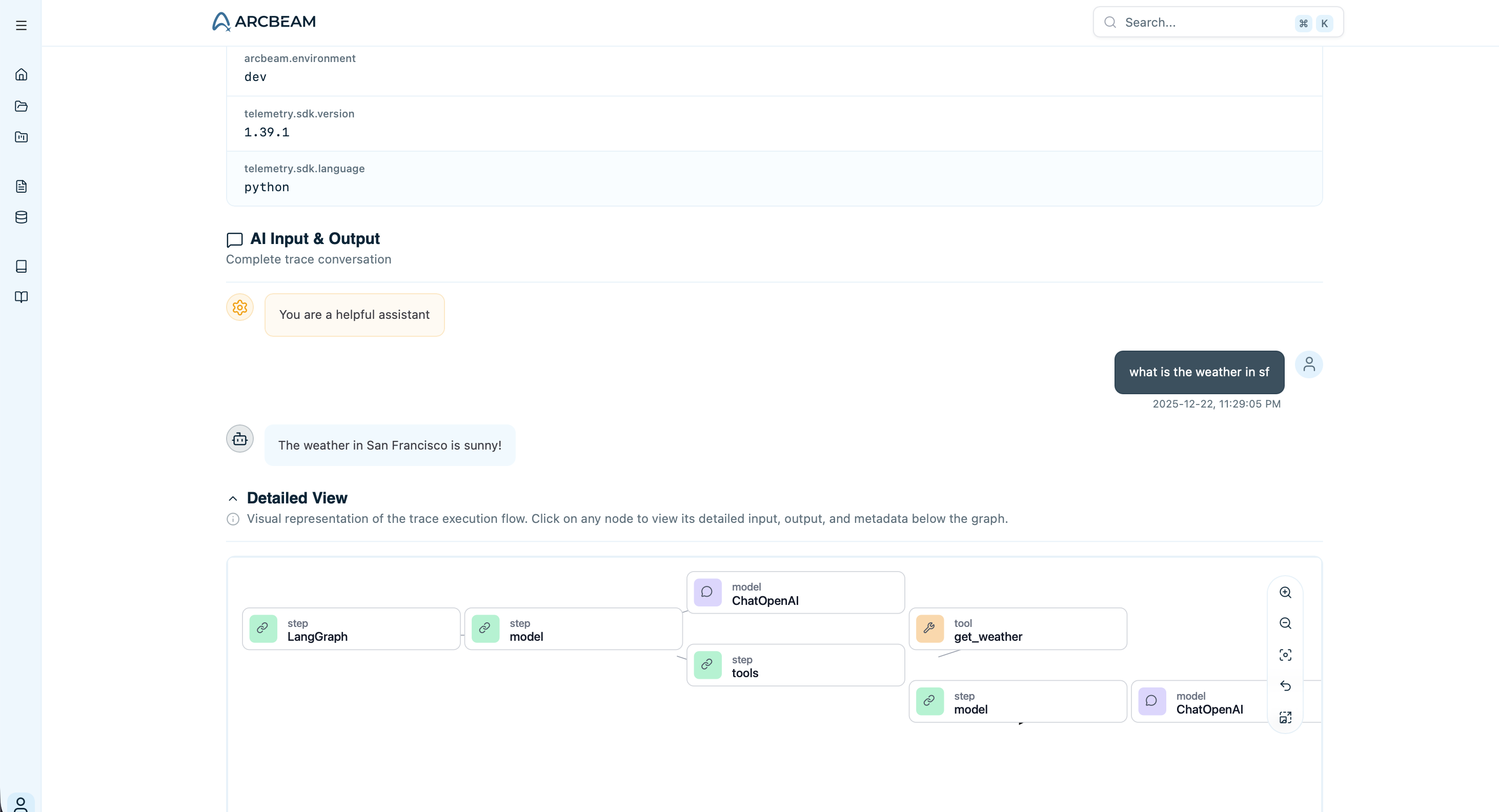
In the trace detail view, you can see:
  • The agent’s steps (model calls, tool executions)
  • Input and output for each step
  • Token usage and cost
  • Execution time
  • The complete workflow visualization
Trace details page showing execution steps, timing, and costs

What’s Next?

Congratulations! You’ve sent your first trace to Arcbeam.
Here’s what to do next:

Troubleshooting

  • Check that you’re using the correct API key
  • Verify your application ran without errors
  • Make sure you called connector.init() before any LangChain operations
  • Check your network connection - traces are sent over HTTPS
  • Verify your API key is correct and hasn’t been deleted
  • Make sure you copied the full key including the sk- prefix
  • Check that you’re connecting to the correct base URL
  • Ensure connector.init() is called before any LangChain operations
  • Verify you’re using a supported LangChain version (0.1.0+)
  • Check the console for any error messages from the connector
For more help, see the troubleshooting guide or contact support@arcbeam.ai.